PRODUCTIVITY & LEADERSHIP
Life can be chaotic. Between work, school, and personal responsibilities, finding time for everything can be a challenge. This week was no exception. I was juggling institutional reaccreditation, supporting academic leadership, doctoral coursework, and trying to maintain some personal balance. It reminded me that productivity isn’t just about checking things off a list. Time management also involves emotional intelligence and self-leadership (Falco & Haener, 2026), especially when everything seems equally important.
From Manual Tracking to Shared Tasks
Reaccreditation has been a team effort, with responsibilities changing as we identify gaps and complete sections of our self-study. Without a centralized task-management tool, I spent approximately 20 minutes each morning reviewing documents, checking for new assignments from colleagues, updating my list, and figuring out where I left off. That was 20 minutes organizing my work before actually doing any of it.
Microsoft To Do: Keeping Things Simple
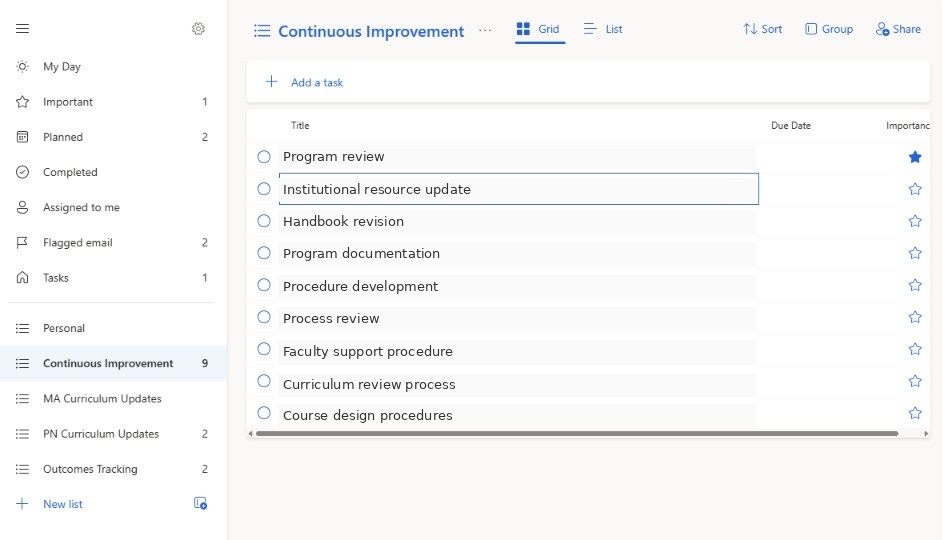
Microsoft To Do seemed like a logical starting point since I already use Microsoft 365. I created lists for continuous improvement, Practical Nursing and Medical Assistant curriculum updates, and outcomes tracking. Setup took about 10 minutes.
I especially liked the option to share lists with colleagues. For example, the Dean of Nursing and I could use a shared curriculum list to assign responsibilities and track progress instead of exchanging emails. Having that shared space supports knowledge exchange and collaboration, which contribute to organizational effectiveness (Abdul Aziz & Abiddin, 2024). It was simple, familiar, and made it easier to see what needed attention.
Trello: Seeing the Bigger Picture
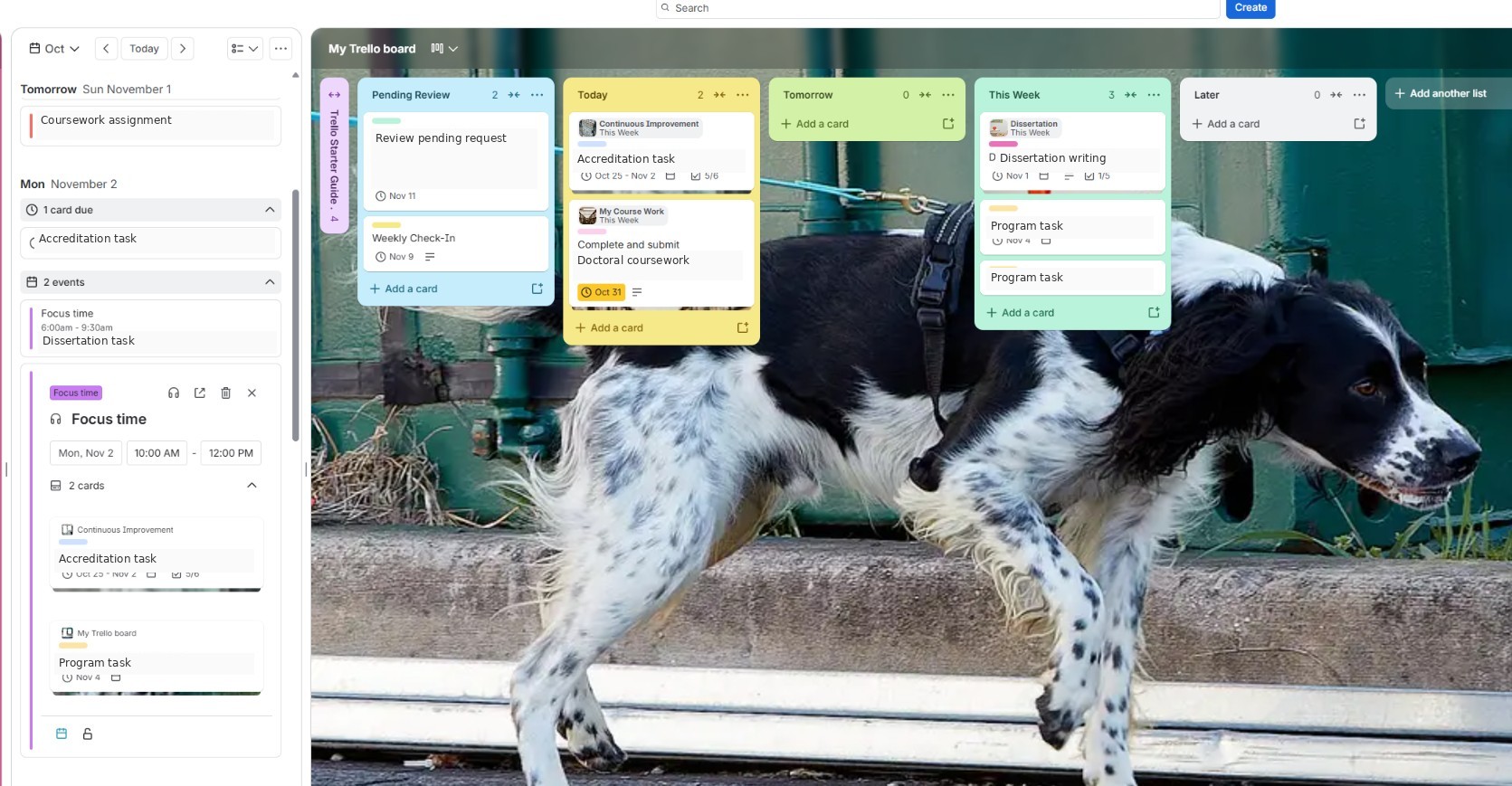
Trello took more effort initially. I spent approximately 30 minutes exploring its features and setting up my board with columns for Pending Review, Today, Tomorrow, This Week, and Later. Once I got comfortable with it, though, I appreciated the flexibility. Once the initial setup was configured, daily use required less time and effort because my tasks were already organized and the automated features helped keep the board current.
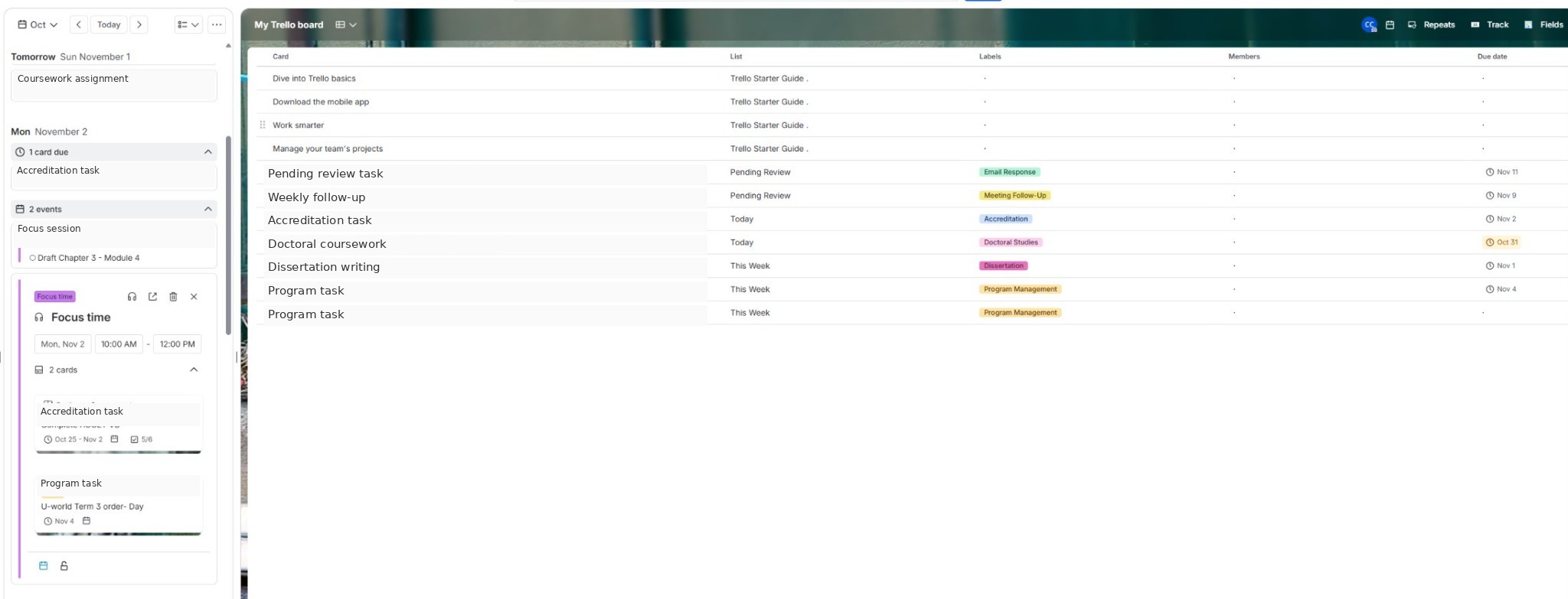
Unlike Microsoft To Do, Trello allowed me to bring everything together, including reaccreditation, other job responsibilities, doctoral coursework, and dissertation tasks. I could switch between board, calendar, and table views, use labels to separate projects, and create checklists for larger assignments.
I also configured Trello’s built-in automation to move cards between columns as their scheduled day approached. Instead of rearranging tasks every morning, I could open my board, see what needed attention, and get started.
Automation: Working Smarter, Not Harder
I took things further with Microsoft Power Automate. I created a workflow that automatically turns flagged Outlook emails into Trello cards, including links to the original messages. That eliminated the need to manually enter those follow-up tasks.
Not everything went smoothly. My attempt to transfer Outlook calendar events into Trello created unwanted cards from recurring meetings. That meant troubleshooting and cleanup rather than saving time. Sometimes technology creates more work before it makes life easier.
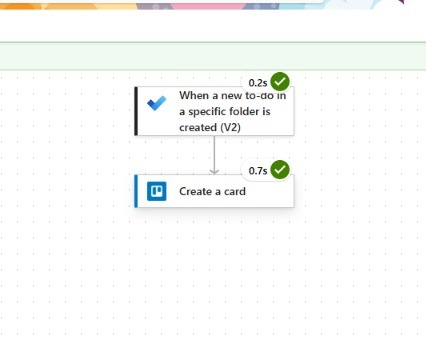
Image note: Screenshots were edited with AI assistance to remove or replace identifying and potentially confidential information. The tools, features, and workflows depicted reflect actual use.
The Time Behind the Tools
The time measurements reflect different activities: approximately 20 minutes of daily manual preparation compared with one-time setup for Microsoft To Do and Trello. Although Trello required more initial setup, its automation features reduced the effort needed to manage tasks each day.
| Approach | Time measured | What it involved |
|---|---|---|
| Manual tracking | Approximately 20 minutes each morning | Review documents, check assignments, update task list |
| Microsoft To Do | Approximately 10 minutes, one-time setup | Create project lists |
| Trello | Approximately 30 minutes, one-time setup | Explore features and organize board columns |
Finding the Right Fit
The difference was noticeable. My manual process took about 20 minutes each morning, Microsoft To Do required 10 minutes to set up, and Trello took about 30 minutes initially but offered more flexibility and automation.
Both applications have advantages, but Trello is my preference. I like seeing my different responsibilities together without losing track of individual projects. Automated card movement and email integration also mean less time maintaining my task list.
Ultimately, productivity isn’t about filling every available minute with work. It’s about staying organized, focusing on what matters, and hopefully reclaiming a little time for everything else.
References
Abdul Aziz, S. A., & Abiddin, N. Z. (2024). Fostering academic excellence: The synergy of self-leadership, knowledge exchange, and innovative practices in higher education. Edelweiss Applied Science and Technology, 8(5), 1101–1111. https://doi.org/10.55214/25768484.v8i5.1810
Falco, K., & Haener, L. (2026). Focus on what you can do and do it! Strategies to enhance leadership and organizational impact. International Journal of Safe Patient Handling & Mobility, 16(2), 59–66.


Leave a Reply